
Overview
- Attach other files to an invoice in Ocerra and export to Xero.
- How to enable export to Xero for Other files.
Attach other files to an invoice in Ocerra for audit or approval purposes:

Export other files as attachments to MYOB Acumatica
- Navigate to Settings - Xero integrations
- Open Settings and Enable "Export Other Attachments"
- Click "Save"
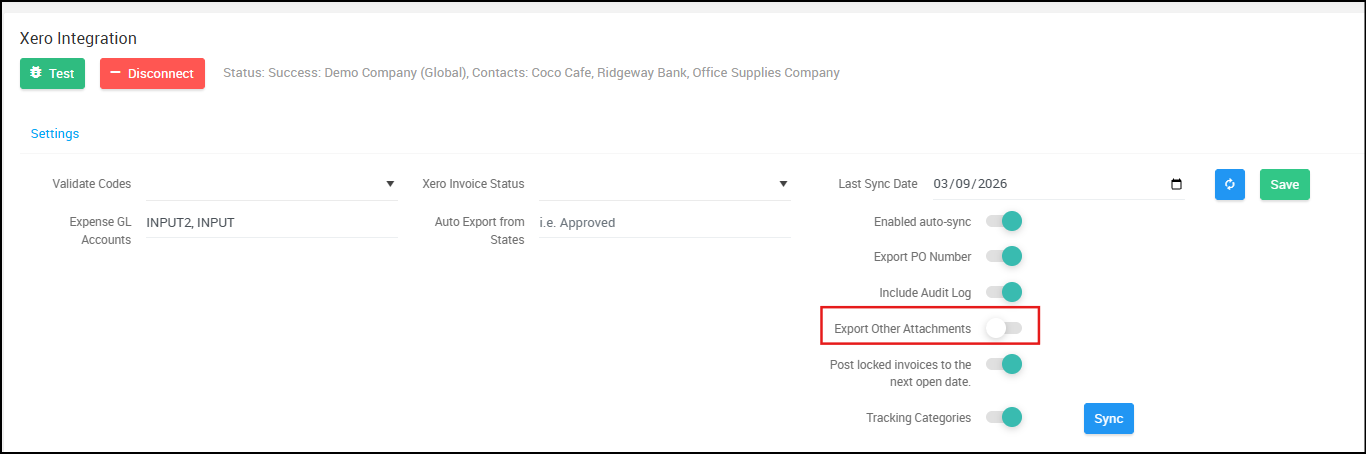
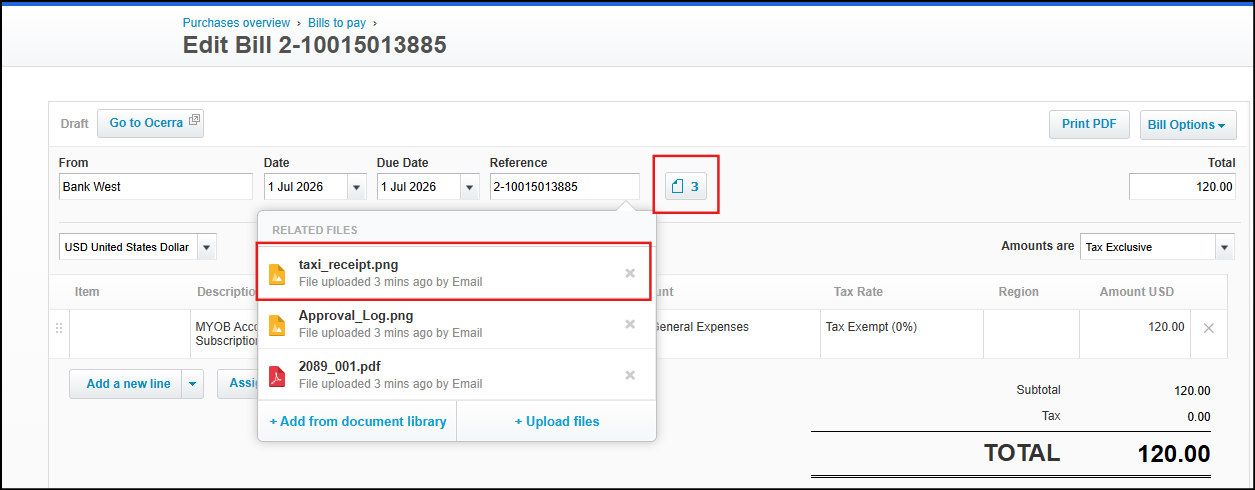
When this parameter is enabled, Ocerra will export other attachments along with the original PDF invoice to Xero:
Read Next: Exporting Workflow Logs to Xero