
Overview
- How to enable auto-export of invoices from Ocerra to AccountRight
When you are just starting with Ocerra AP automation, we recommend to export invoices manually from the Export page. After some time, when you get confident with the new process and how Ocerra creates new bills in your system you can set up auto-export.
Please note that the Export page may contain important information about the Export result. When you have auto-export enabled, please check this page from time to time to see if any invoices didn't go through and what is the reason.
Enabling auto-export in Ocerra
Navigate to MYOB AccountRight integration settings:
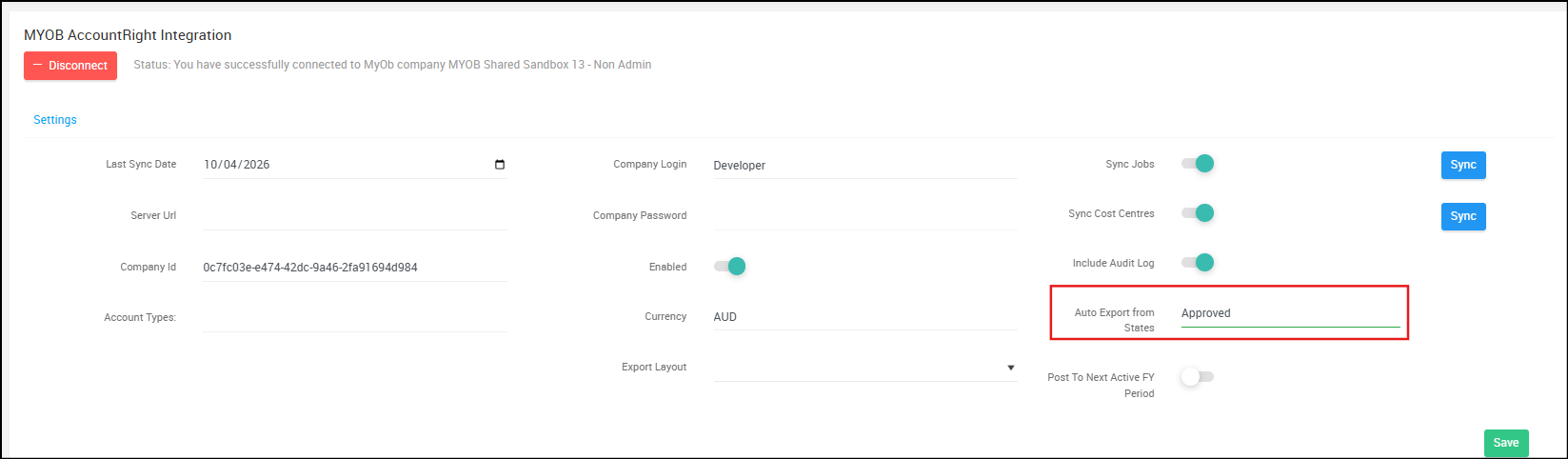
- Correctly write an invoice status that you would like to use for auto-export, e.g. Submitted, Approved.
- Click "Save"
Please note, auto-export will happen every 20 minutes.