
Overview
- The Actions button in the Invoices List now includes Send reminders. This allows you to quickly notify users who are currently assigned to approve submitted invoices.
This is useful when invoices are being held up in the approval process.
When to use it:
Use this feature when an invoice is waiting for approval and you want to remind the assigned approver without opening the invoice. You can send reminders for one invoice or multiple invoices at once.
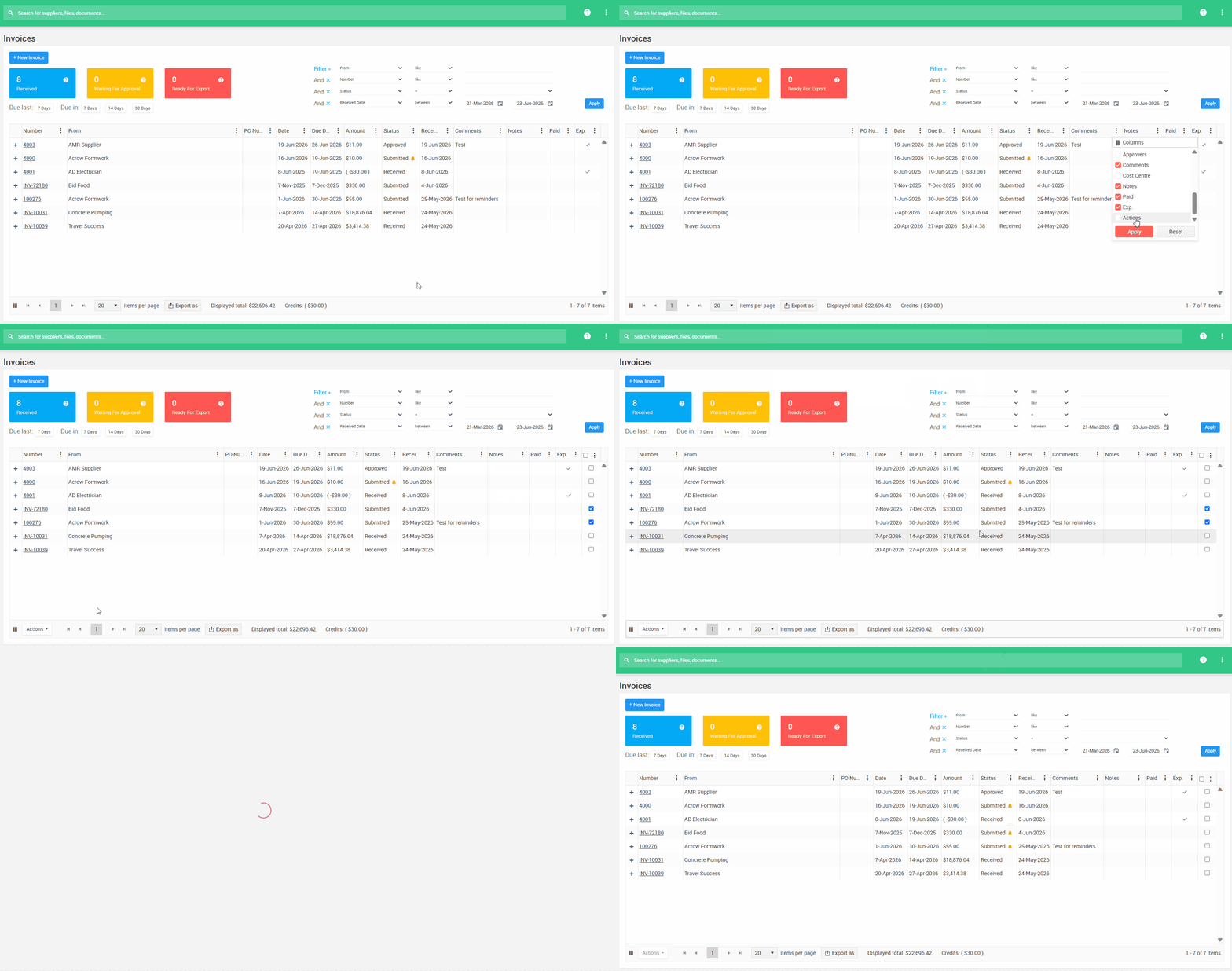
How to Enable the Actions Column
- Go to the Invoices List
- Click the three dots on any column header
- Select Columns
- Tick Actions
- Click Save
A new column will appear with tick boxes for selecting invoices.
How to Send a Reminder
- In the Invoices List, tick the invoice you want to send a reminder for
- You can select one invoice or multiple invoices
- Click Actions in the lower-left corner of the screen
- Select Send reminders
A reminder will be sent to the current approver for each selected invoice. You will see a bell icon next to Submitted, indicating that a reminder has already been sent to the approver.

Important Notes
- Send reminders only work if email notifications are enabled for that user. If no notification is set up, this send reminder wont send an email.
- Only Submitted invoices can send reminders.
- The bell icon appears/stays next to the Submitted status when the notification is triggered a second time.
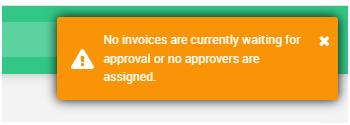
- Invoices with statuses such as Received or Approved will show a message if you try to send a reminder.
- Reminders send immediately when triggered. For example, if a scheduled notification is normally set for Friday, manually sending a reminder on Wednesday will deliver it on Wednesday.