
If you are using invoice approvals in Ocerra, you can export workflow logs to MYOB Acumatica to maintain a complete audit trail within your accounting system.
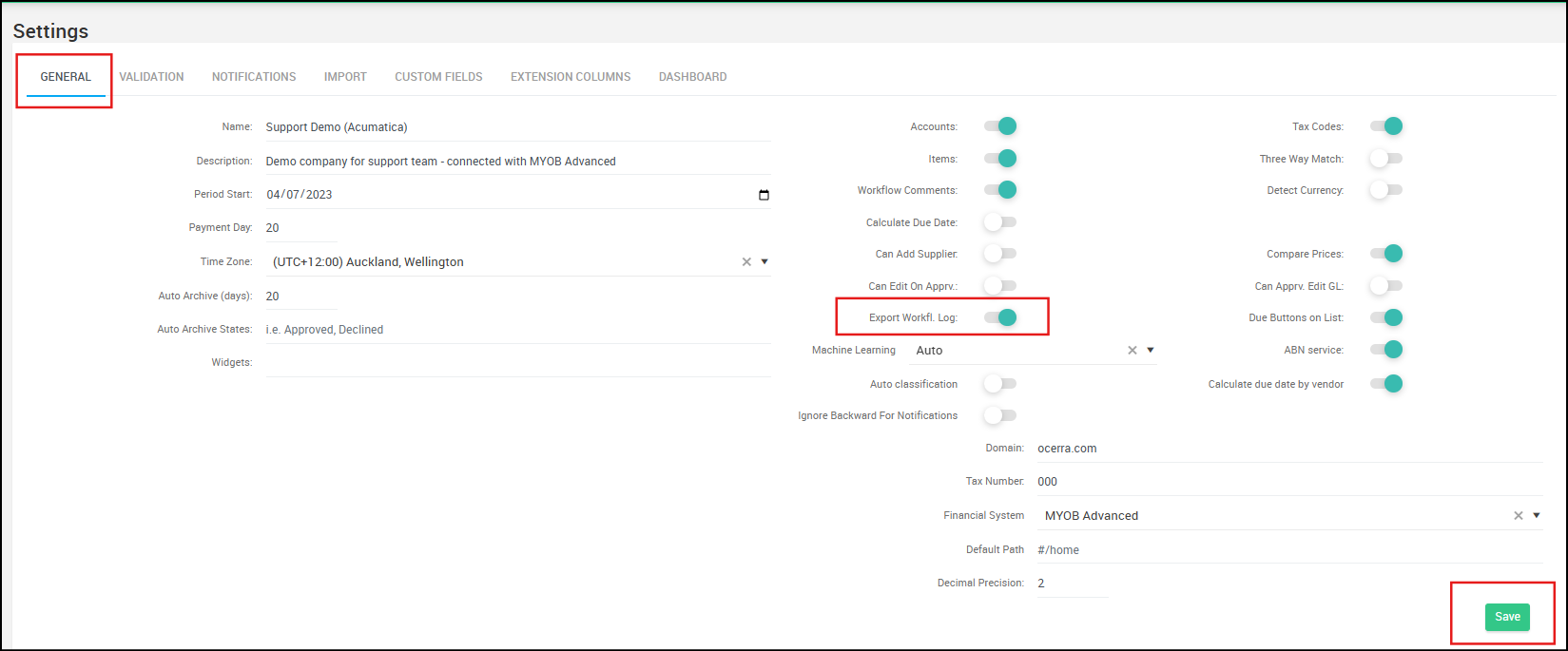
Enabling Workflow Log Export
- Navigate to Settings > General.
- In the General tab, enable or toggle the “Export Workflow Log” switch.
- Click Save to apply the changes.
How it Works in Acumatica
Example of the workflow log in MYOB Acumatica - it goes as .txt attachment:Example of the workflow log in MYOB Acumatica - it goes as .txt attachment:
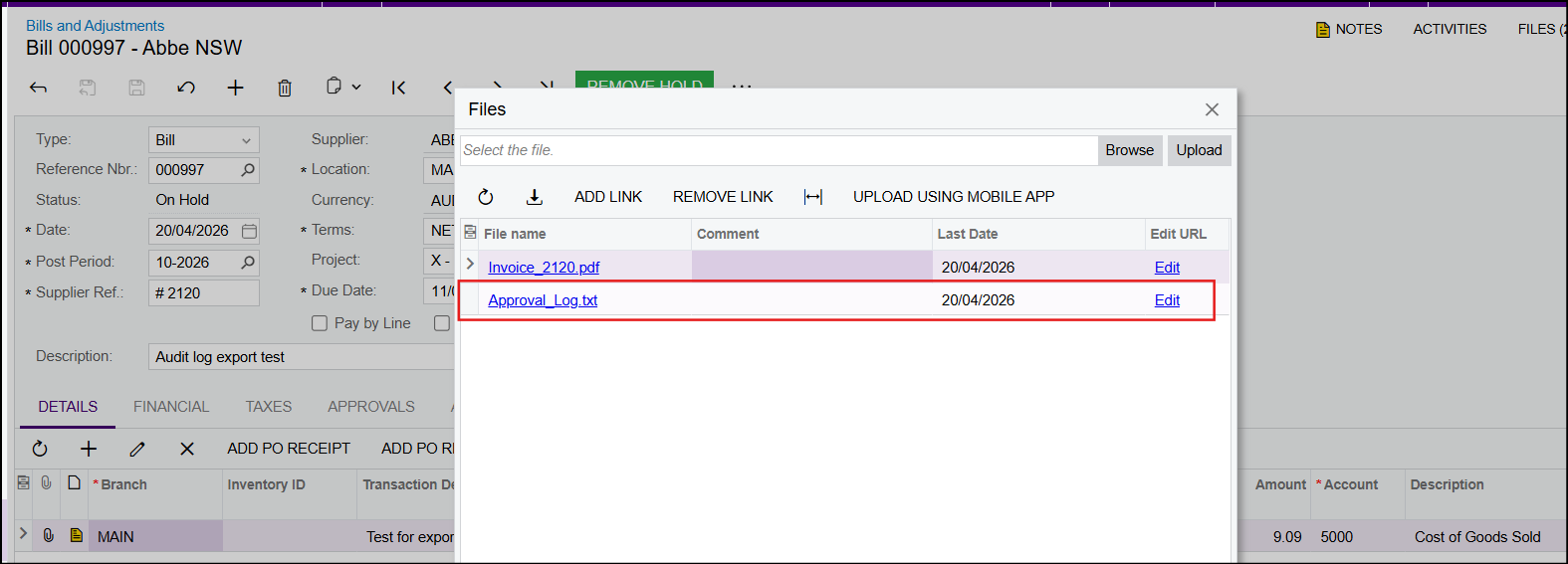
From the workflow log, you can can see From and To statuses, Dates, Person and Notes (Comments):

How to enable auto-export of invoices from Ocerra to MYOB Acumatica