
Overview
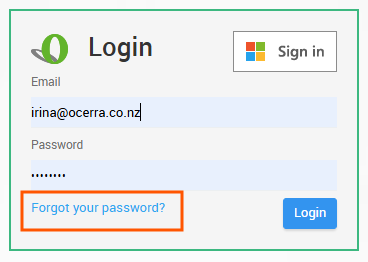
If your password is not working or you cannot log in to Ocerra, you can reset it using the Forgot your password option on the login page.
Steps
Go to the Ocerra login page.
Click Forgot your password?
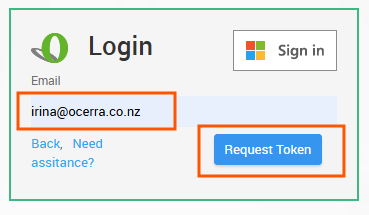
Click Request Token.
Enter your email address.
Ocerra will send a verification token to your email.
Enter the token on the login page to access your account.
After logging in, you can change your password from User Settings if needed. You will then be able to log in with
your new password.
Note:
The token is one-time use only and cannot be reused.
After logging in with the token, you should change your password in User Settings.