Overview
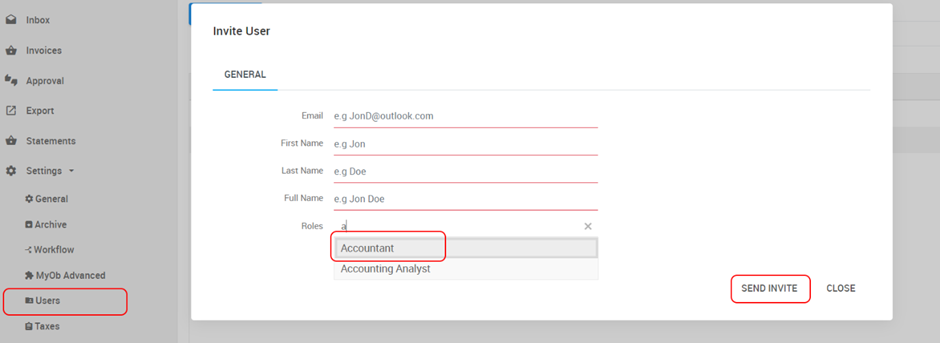
You can invite team members to access your Ocerra account from the Settings - Users section. Once invited, the user will receive an email with a temporary password.
(!) Before inviting a new user, please review the role matrix here.

Modified on: Wed, 9 Sep, 2026 at 2:41 PM
Overview
You can invite team members to access your Ocerra account from the Settings - Users section. Once invited, the user will receive an email with a temporary password.
(!) Before inviting a new user, please review the role matrix here.
Did you find it helpful? Yes No
Send feedback