
Understanding the "Paid" Column
The “Paid” column indicates whether all invoices associated with a Purchase Order (PO) have been fully paid in your accounting system. This feature allows you to quickly verify whether a PO has been fully settled without the need to open each individual invoice.
How to Enable the "Paid" Column
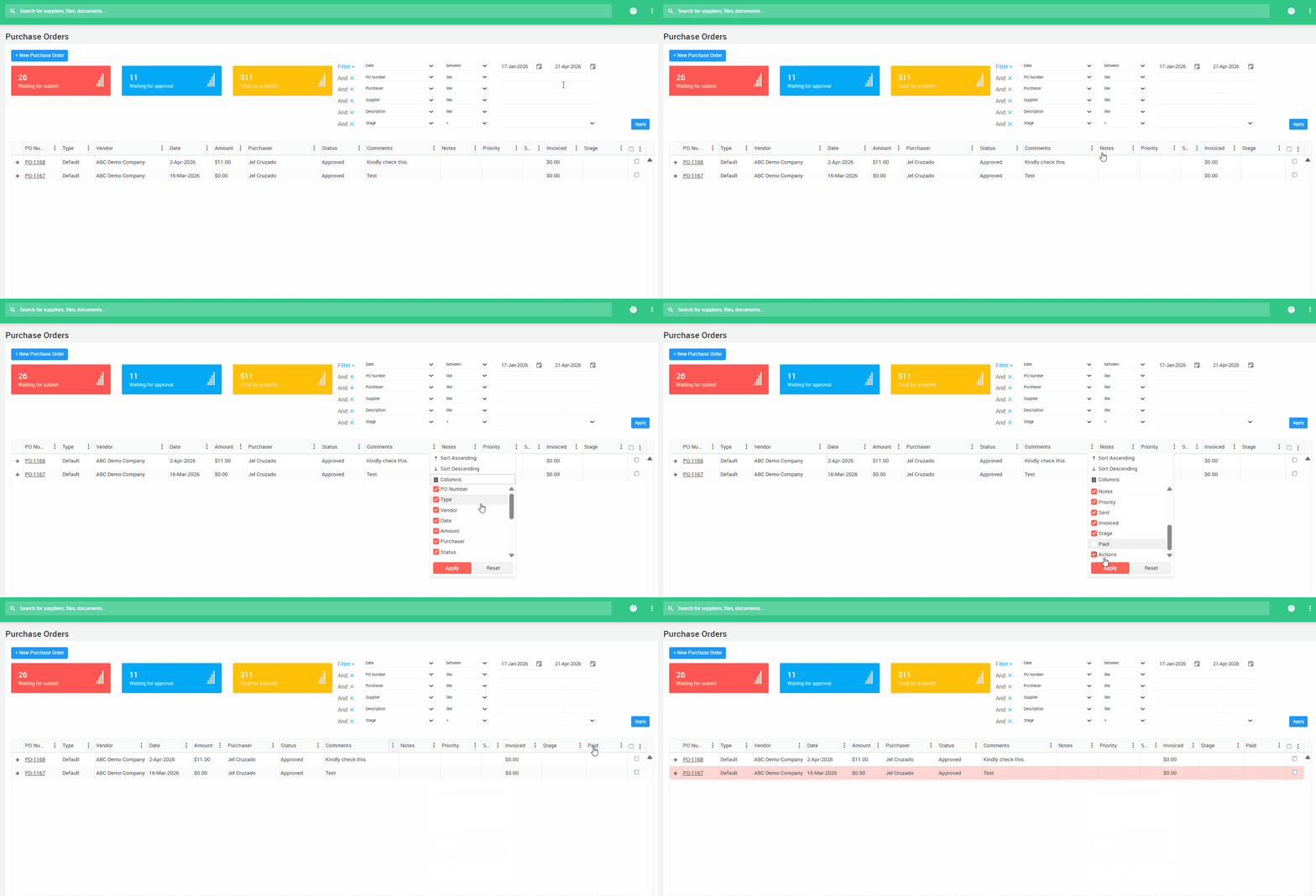
- Navigate to the Purchase Order folder.
- Click the three dots on the header of any column.
- Select Column, then check the box labeled Paid.
- Save your settings. The Paid column will now appear next to the PO Stage in the PO list.
How It Works
The “Paid” column checks all invoices linked to the PO that have been exported to your accounting system.
- If all linked invoices are marked as paid, Ocerra will sync the payment details and automatically enable the Paid indicator.
- In the PO list, a checkmark will appear in the Paid column to confirm that all invoices linked to the PO have been paid.
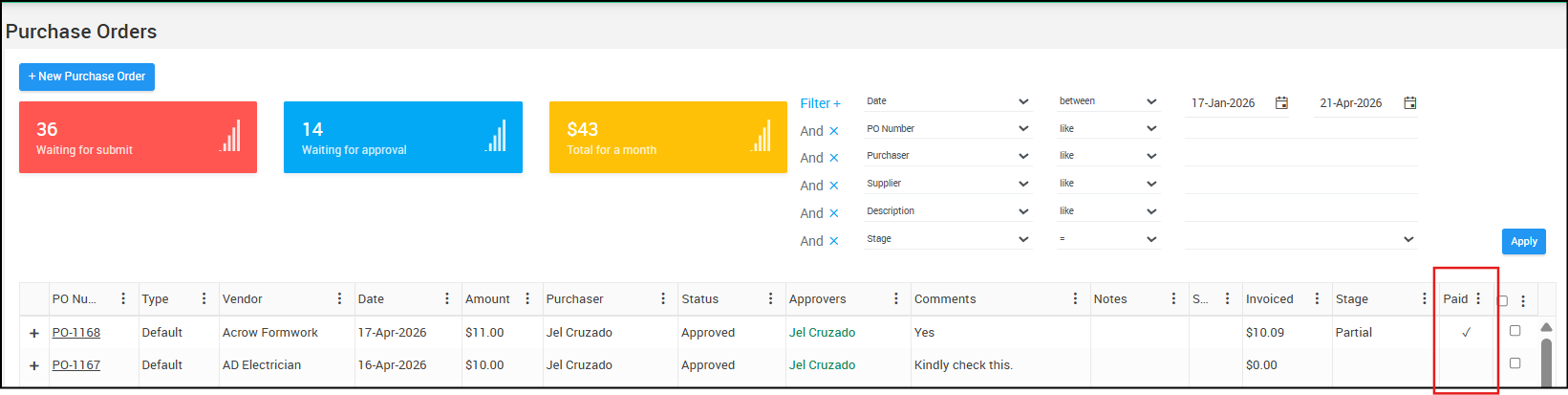
POs with unpaid linked invoices will remain unchecked.
How to use MYOB Acumatica Payments