
Settings Access Removed for Employee Role
- Users assigned to the Employee role no longer have visibility of the Settings menu. This ensures system configuration options remain accessible only to authorised roles.
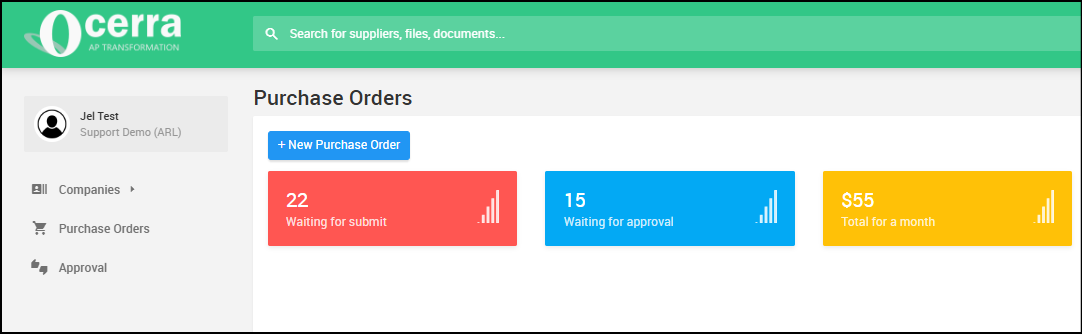
Auto-assign PO invoice approval to PO raiser
- Invoices matched to a Purchase Order will now be automatically assigned to the PO raiser for approval. This helps ensure the person who created the PO reviews and approves the related invoice, improving accuracy and speeding up the approval process.
Improved Purchase Order Visibility for Employee Roles
- Ocerra Purchase Orders now offer more control over visibility for users assigned to the Employee role. Previously, employees could see all purchase orders, even those they were not involved in. With this update, Employee users will now only see purchase orders that are relevant to them—such as POs they created or POs submitted to them for approval.
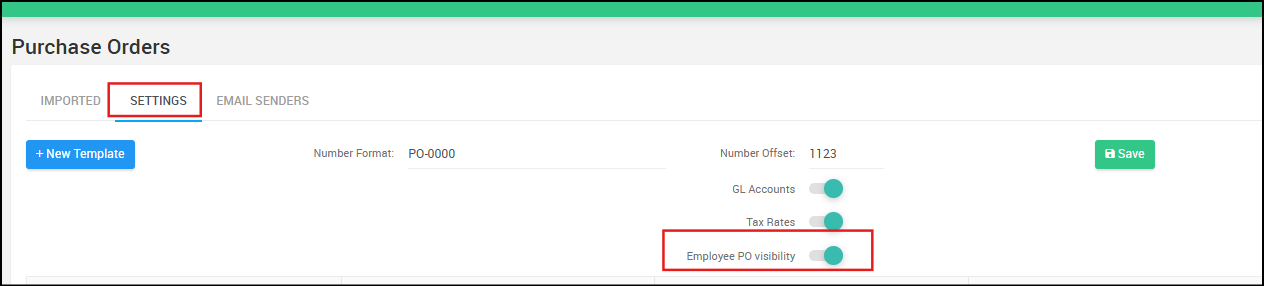
To use this feature, it must be enabled in Settings → Purchase Orders → Settings.
Invoice List Column Layout Update
We’ve rearranged the Email and Currency columns in the Invoices folder to make the layout more intuitive.
- The Email column now appears next to the From (Supplier) column
- The Currency column now appears next to the Amount column
This makes it easier to quickly identify who sent the invoice and what currency the invoice is in.
Filter Label Update
- The “Filter: State” label has been renamed to “Filter: Status” to better match the Status column and keep terminology consistent across the system.
There is no change to how the filter works — it will continue to filter invoices by status (e.g. Approved) exactly as before.