
Unarchive Option Now Available
- You can now Unarchive documents directly from the Archive folder. This allows you to easily restore previously archived invoices, POs, or statements back to their original list for continued processing or review.
Where to find it:
Go to Archive → Select the document(s) → Click Unarchive.
MYOB AccountRight – Post to Next FY Period
- We’ve added a new export option for MYOB AccountRight called Post to Next FY Period. When this setting is enabled, Ocerra will automatically post exported invoices to the next financial year period if the current fiscal period is closed. This ensures your export process continues smoothly during period-end transitions.
Where to enable:
Settings → MYOB AccountRight → Enable Post to Next FY Period
Improved data extraction for invoice with word format dates (e.g., 07 November 2025)
- We’ve enhanced how Ocerra extracts invoice dates when they are written in word format (for example, 07 November 2025). The first time you upload an invoice with this format, you may need to annotate the invoice date if it isn’t detected automatically. Once annotated, Ocerra will remember this position for that supplier, so future invoices from the same supplier using the same date format will be recognised automatically—no manual date entry required.
Vendor and Invoice Editing Fixes
- We’ve resolved an issue where employees were able to search for a vendor and make changes.
This behaviour has now been corrected — vendor details accessed via search are read-only, ensuring data integrity and preventing unintended edits.
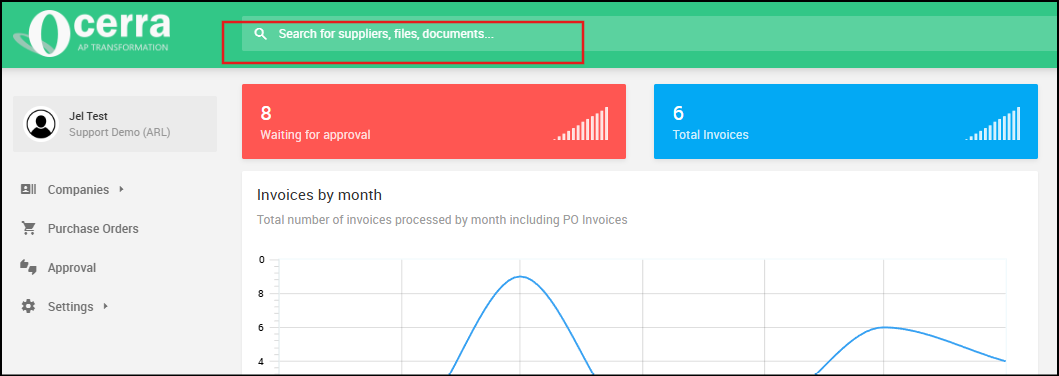
Invoice Editing Restrictions via Search
- We’ve addressed an issue where users could search for invoices and make changes from the search view.
To ensure invoices remain read-only when accessed this way, please go to Settings > General and disable the “Can Edit on Approval” option.
Once disabled, invoices opened through the search function will be read-only, preventing unintended edits and maintaining data accuracy.
Currency Filter & Column
- We’ve added a new Currency filter and column to the invoice list. You can enable the column using the three-dot menu. This enhancement allows you to easily sort and filter invoices by their currency.
Email Filter & Column
- A new Email filter and column is now available, allowing you to filter invoices based on the email address that forwarded them into your Ocerra Inbox.
Note: This applies only to invoices forwarded to the Inbox, not those uploaded manually.