
The PDF Window allows you to efficiently review and interact with invoice PDFs.
Efficient Extraction: Ocerra extracts data from the first 20 pages of an invoice, as key details are usually found there.
Full Document Access: If you need information beyond the first 20 pages, click More → PDF Window. This opens the full invoice in a separate window so you can copy only the details you need.
Printing: From the PDF Window, you can print the invoice directly.
Rotating Documents: While reviewing, you can rotate pages by clicking More → PDF Window, then selecting Rotate in the new window.
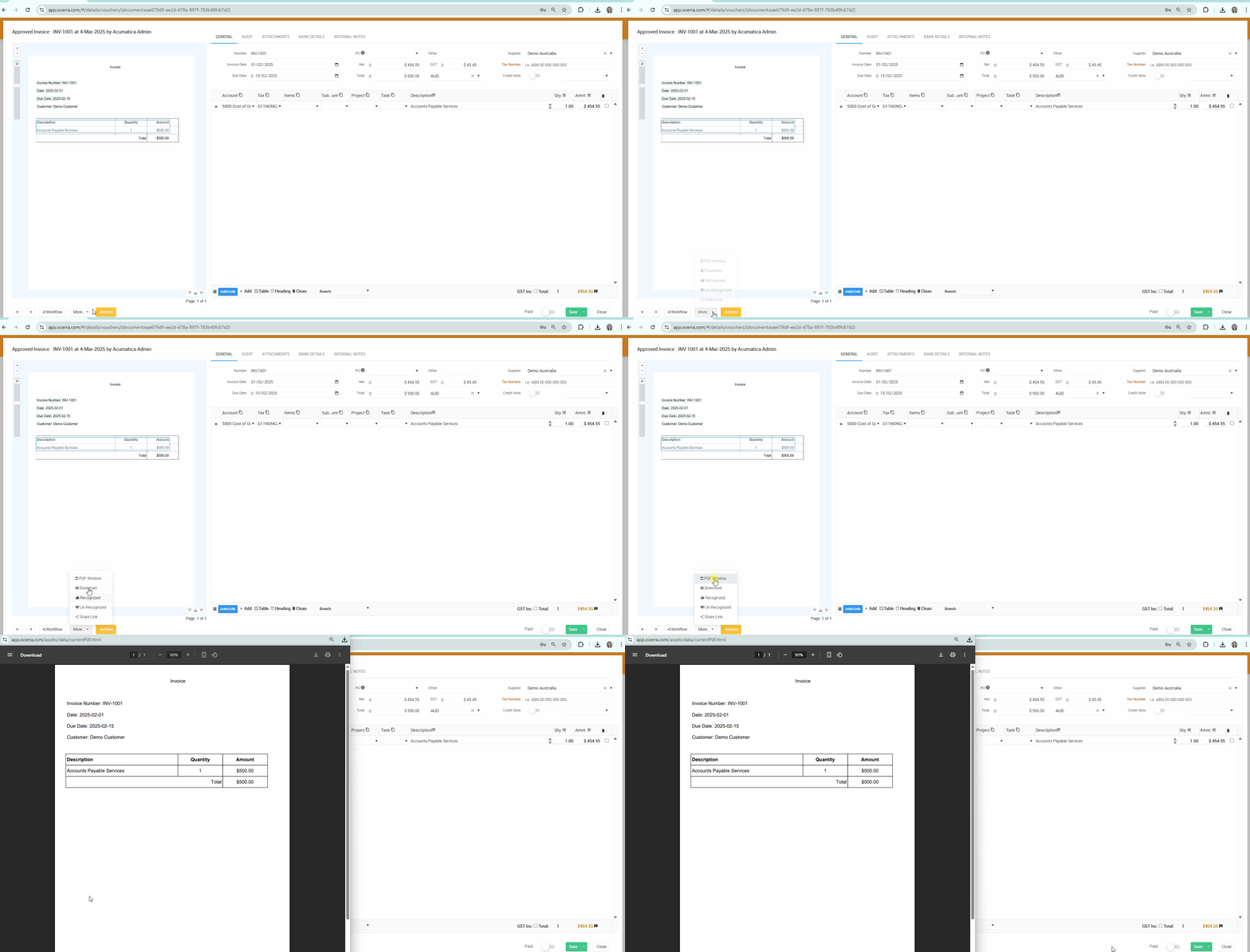
This feature enhances invoice review, making it easier to access, manipulate, and print PDFs without leaving Ocerra.