
In this article, we will discuss the most common export errors and warnings encountered when using MYOB Acumatica.
- Exception: An error occurred during the processing of the field Vendor Ref. value 0000 This vendor ref. number "0000" has already been used for the document "Bill, 00000"..
This indicates that you are attempting to export an invoice for which there is already an existing bill manually created with the same supplier and invoice number in MYOB Acumatica.

- SuppliedByVendorID' cannot be empty
This means that you are attempting to export an invoices with Deactivated supplier.

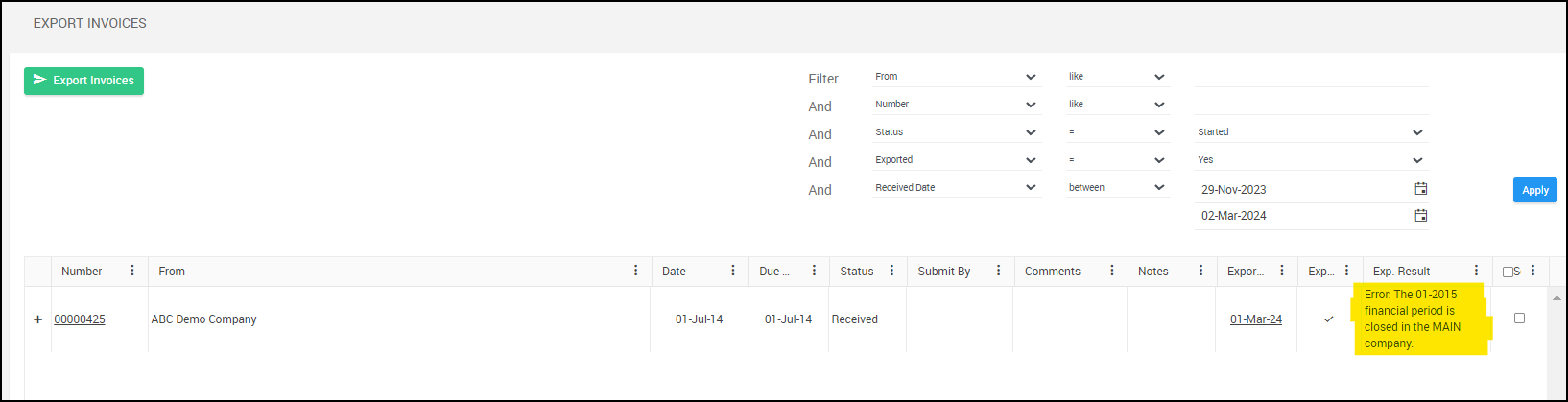
- Error: The 01-2015 (date) financial period is closed in the MAIN company
You are attempting to export an invoice and the financial period is already closed in MYOB.
- PayTypeID: Payment Method 'AUCBADC' cannot be found in the system
There is an issue with the Supplier/Vendor payment setup in your MYOB. Please note that the payment type is copied from the vendor to the bill. Kindly check the payment details for the selected vendor.
- “Order Line: RO 23P012244, Line Nbr.: 1 not found.”
In MYOB, Purchase Orders can be done for stock and non-stock items. POs with stock items should always require a Receipt in MYOB. POs with non-stock items can require a receipt as well depending on your setup.
If stock or not stock PO line requires a receipt it will show that Billing is Based on Receipt in MYOB, e.g.:

In this case, a PO line must be receipted and Receipt must be released before exporting invoices from Ocerra. Receipted information must be imported to Ocerra first and must be seen on the PO line.
Note: What if the line contains non-stock items that are not receipted but the same error occurs?
The export error occurs due to a structural difference between the PO and the supplier’s invoice. The PO groups multiple items into one line, while the invoice lists each item separately. Ocerra extracts the invoice lines as they appear and expects them to match the PO’s structure.
Manual adjustment is needed for mismatches, as this is a PO-to-invoice structure issue, not an extraction problem.
To avoid manual work, align the PO structure with the supplier’s invoice (e.g., create separate PO lines per item) for automatic matching.
How to use Acumatica Purchase Receipts in Ocerra
- Data too long for column 'Description' at row 1
A “Data too long for column” error can occur when any field is too long—not just the description. For example, a very long GL account name can trigger this issue.
How to Test/Fix:
- Check if the GL account used on the invoice is unusually long.
- Note: Some systems may remember previous export paths. Even after updating the account, the error may persist unless the document is re-uploaded.