
Overview:
- Ocerra follows MYOB Acumatica settings when creating a new bill in the system.
- In short, Ocerra does not change AP Bill status during export. It uses the status of your AP bill form. Usually it is driven by Hold Documents on Entry parameter in your MYOB Acumatica Accounts Payable Preferences.
Default MYOB Settings
By default, all new bills are created with On Hold status in MYOB Acumatica. This default status is assigned by MYOB Acumatica when you create a new bill manually or via Ocerra.
If you are approving bills after exporting to MYOB Acumatica, keep this setting on. An approver should un-tick and release this document for payment when ready.
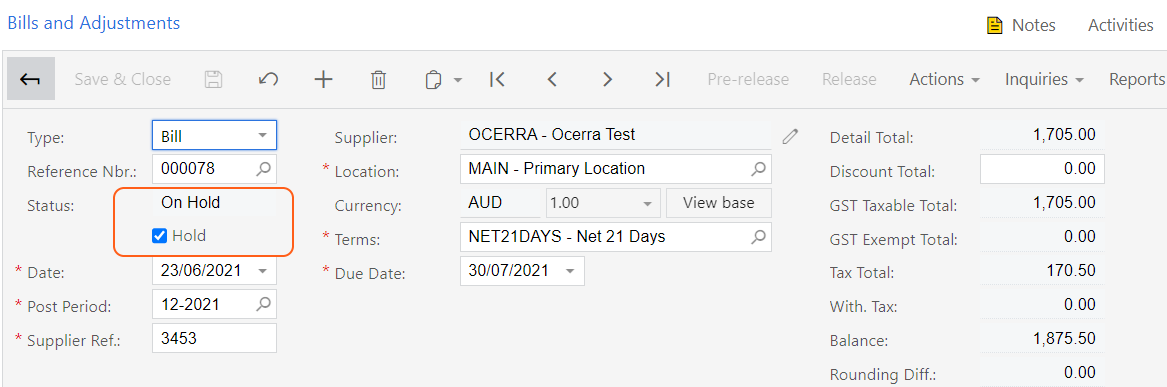
Setting up Balanced vs On Hold status
If you are approving document before exporting to MYOB Acumatica in Ocerra, we recommend disabling On Hold default status in MYOB Acumatica.
Navigate to Accounts Payable Preferences and un-tick the Hold Documents on Entry check box, e.g.:
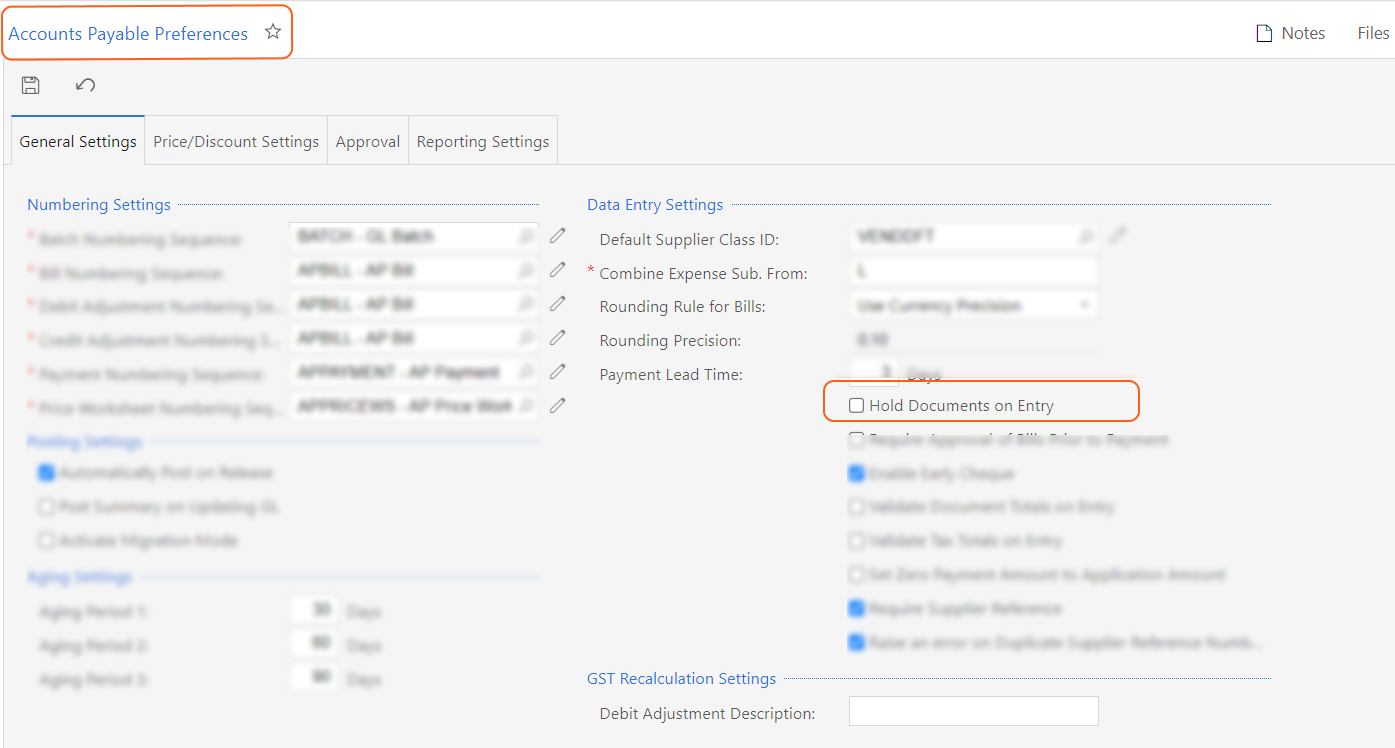
If unchecked, all new bills will be created with Balanced status in MYOB Acumatica.
With Balanced status, a Release option is now available to move this bill into Opened status.
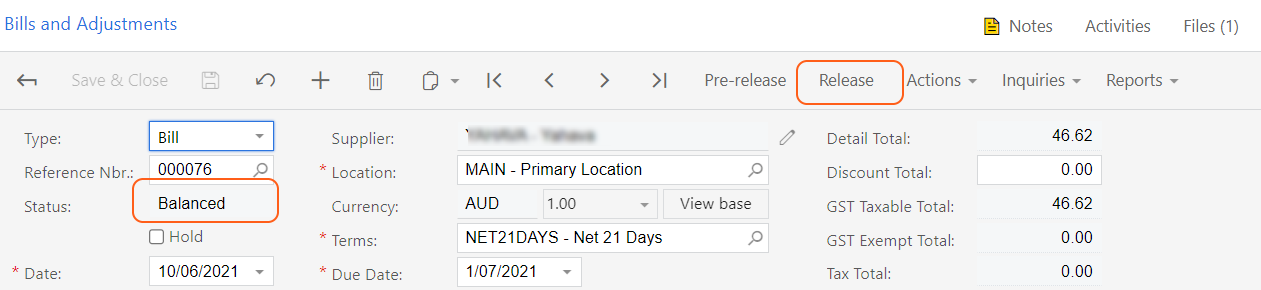
To summarise:
- If you set your bills created with On Hold status in MYOB, Ocerra will create invoice with On Hold status. Recommended when you are using MYOB Acumatica approval process.
- If you set your bills created with Balanced status in MYOB, Ocerra will create invoice with Balanced status. Recommended when you are using Ocerra AP approval workflow.
Please note that Hold Documents on Entry won't apply if you have the approval hierarchy enabled, please ensure that it has the right status for Ocerra to use during export.